B2C Saas
Conversion
Automotive Sector
Redesigning Vehicle Configurator Flow
Role
Senior Product Designer
Team
PM · FE · BE · QA
Content
Product Psicology · A/B testing · UI/UX
Time
2023
INTRO
Vehicle Configurator Flow
WSK Product Team is accountable for the Vehicle Configurator Feature. I led the redesign of this high-traffic flow to improve vehicle selection and increase lead conversion.
CHALLENGES
Understanding the problems
💡
With a CR of 0.5% the vehicle configurator was below industry expectations. This low performance started to impact the NPS score.
STRATEGY
Data Analisys, Benchmarks and Audit
The analisis rapidly confirm the inicial numbers: Out of ~50,000 mobile sessions, only ~10% resulted in a lead.
End-user abandonment rate: 50%.
Conversion rate: ~0.5%, whereas the market average is ~1.4%.
NPS score of 5 from dealership customers: They didn't feel confortable with the UI used for the configurator.
I quick audited the current flow and indeed I discovered few points of friction for the user:
Navigational elements lacked visual emphasis.
Versions table didn't look as a selectable item.
Then, I decided to benchmark some competitors to search for industry trends, I observed that:
Step-by-step navigation.
Color configuration options.
Clearly structured options with pricing.
Prominent display of the total price.
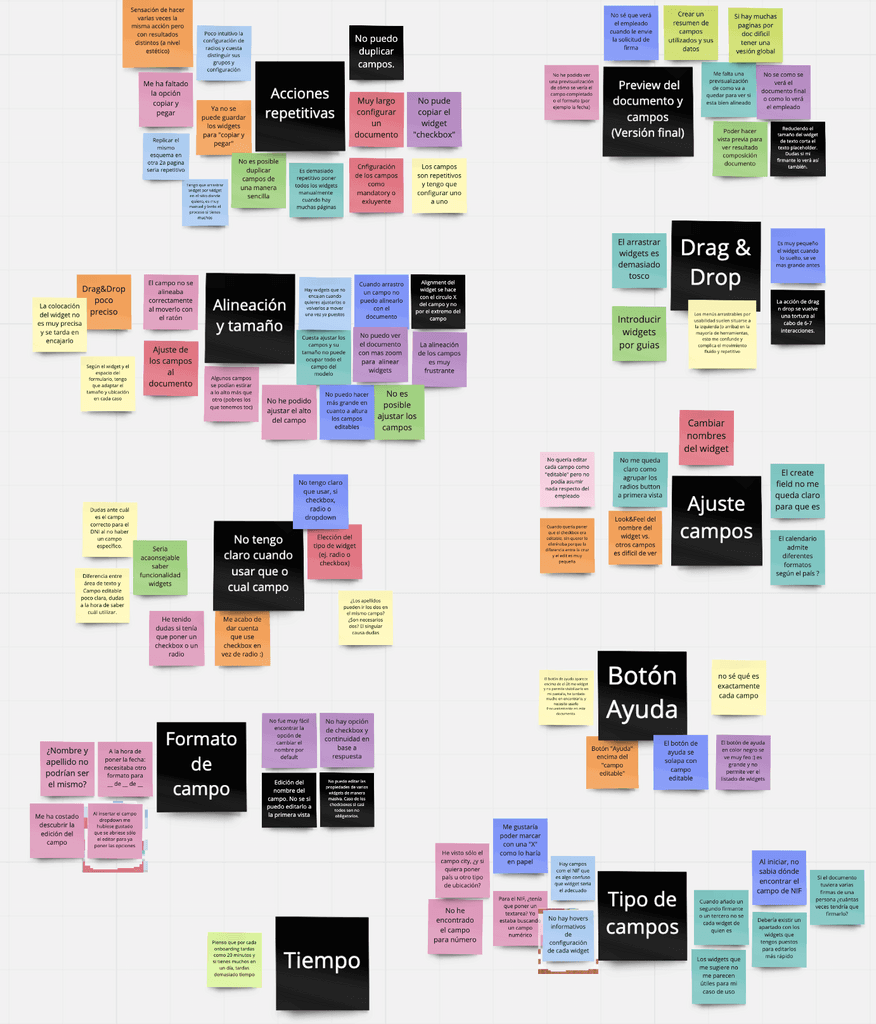
Also, we had a long list of feedbacks from the Customers that needed to be take in consideration for this first redesign or next iterations.
At the end, we decided to propose an integral redesign and elevate our configurator to lead the market.
DESING
Designing, Prototyping & Validating
I started wire-framing the flow to be able to disipate doubts with engineers while the final design was in progress.
The key pillars for the redesign were:
Step-by-step navigation with a clear section definition.
Ensuring better visibility for legal and technical information.
Introduced mobile practices for CTAs and collapsable elements.
We had to lead with some constrains, for instance, the data provided didn't support equipments or 360 images.
The UI: Before and After
Validating Usability with Maze
I did a few round of usability testing using Maze with the goal of Making the configurator easy to use. I used this technique to expose my design as soon as posible to real end users and reduce the number of usability misunderstandings.
After getting to an acceptable number, ~90% of users completed the task of configured the vehicle and ease of use scored 4 out of 5, the design was ready to be develop.-
IMPACT
Seeing the results
This new feature was tested in a couple customers in Pilot under feature flag during two months.
The results were positive in general:
->
->
During the next quarter the feature was slowly released to the total amount of customers.
LESSONS
What I learned?
-> Expose my design as soon as is posible to get feedback and iterate on it.
Cases
About Me
Contact